Relay Webs
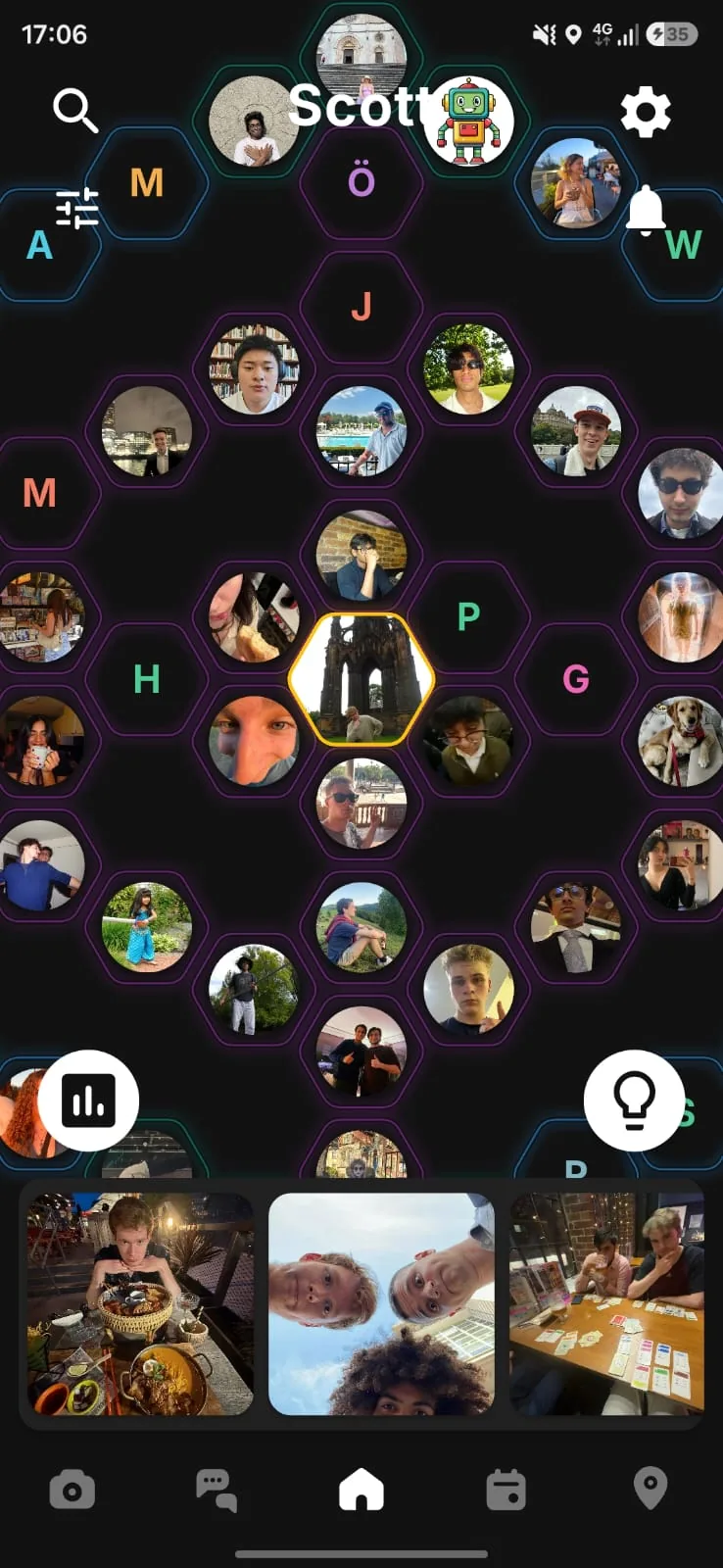
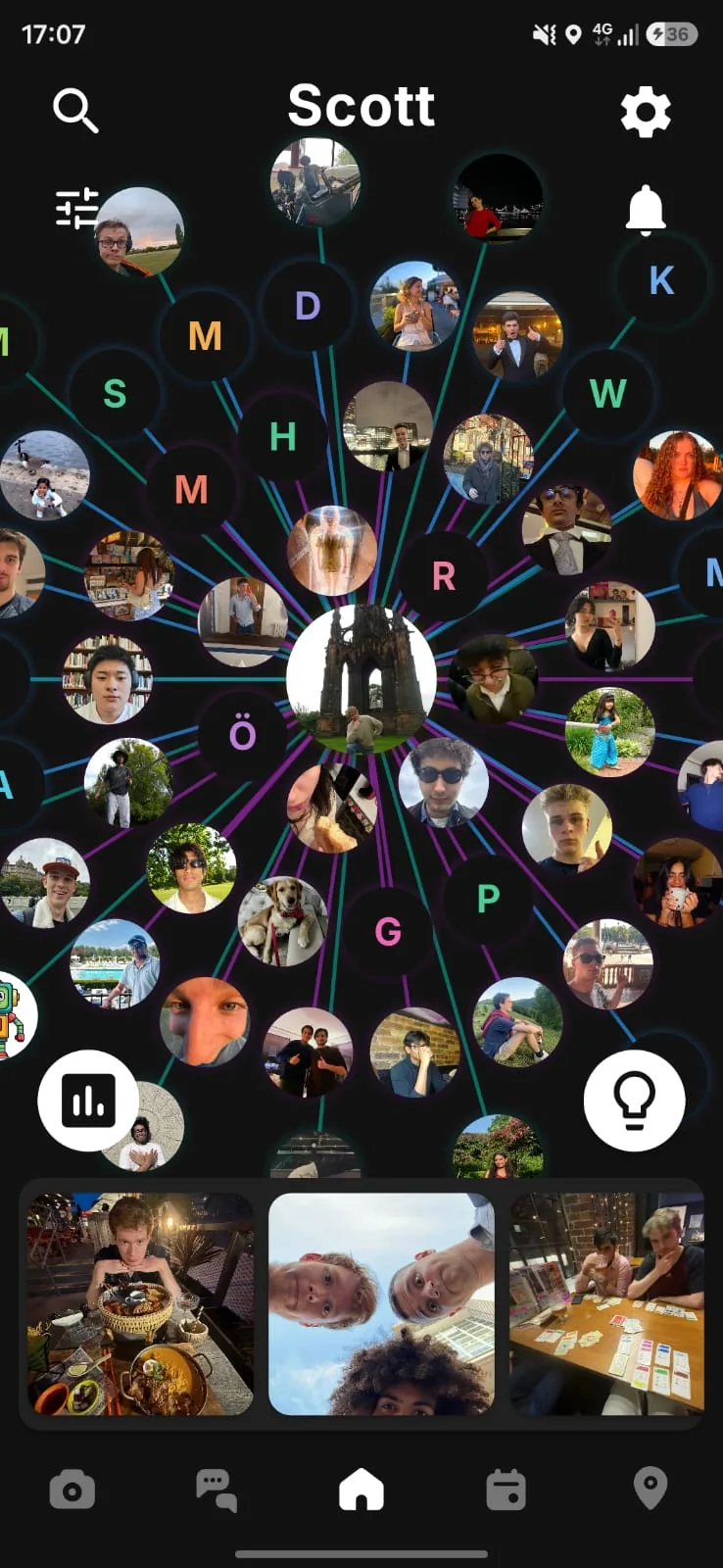
Relay Webs is the core way you view and organise your friends in Relay. Instead of scrolling through a feed, you see all your friends at once.
Three Tiers
Organise your friends into three tiers based on how close you are:
- Super Friends - Your closest friends
- Friends - Your regular friend group
- Pals - Acquaintances and wider connections
Two Views
Hexagon View: A grid layout where you can drag and arrange friends in any order you like.
Tether View: Friends are displayed with distance representing closeness - the closer they appear, the closer your relationship.
You're always at the centre of your web. Arrange your friends however feels natural to you.
Tiering Options
By default, tiers are visible: a friend can see which tier you've placed them in, and friends can look at how you've arranged your web. If you'd rather that stayed to yourself, turn on private tiering on the Customize page - the tier labels and colours stop being visible to anyone else. The list of who your friends are stays open: anyone on Relay who opens your profile can see it.
Reflections. With tiers on and visible, you can also choose what tier label a particular person is shown - one thing to people who aren't your friends, another to pals, another to friends. Leave it alone and everyone sees the real tier. Super friends always see the real one either way, and a reflection only changes what that person is shown - the label, and where you sit in their tethered view: who can see you on the map is worked out from the actual tier.
Don't want tiers at all? Disable them on the Customize page - friends appear with random colours and no hierarchy. Note that turning tiering off also removes tier-based map scope, which can widen who sees you on the map. See Location.
Mutual Posting
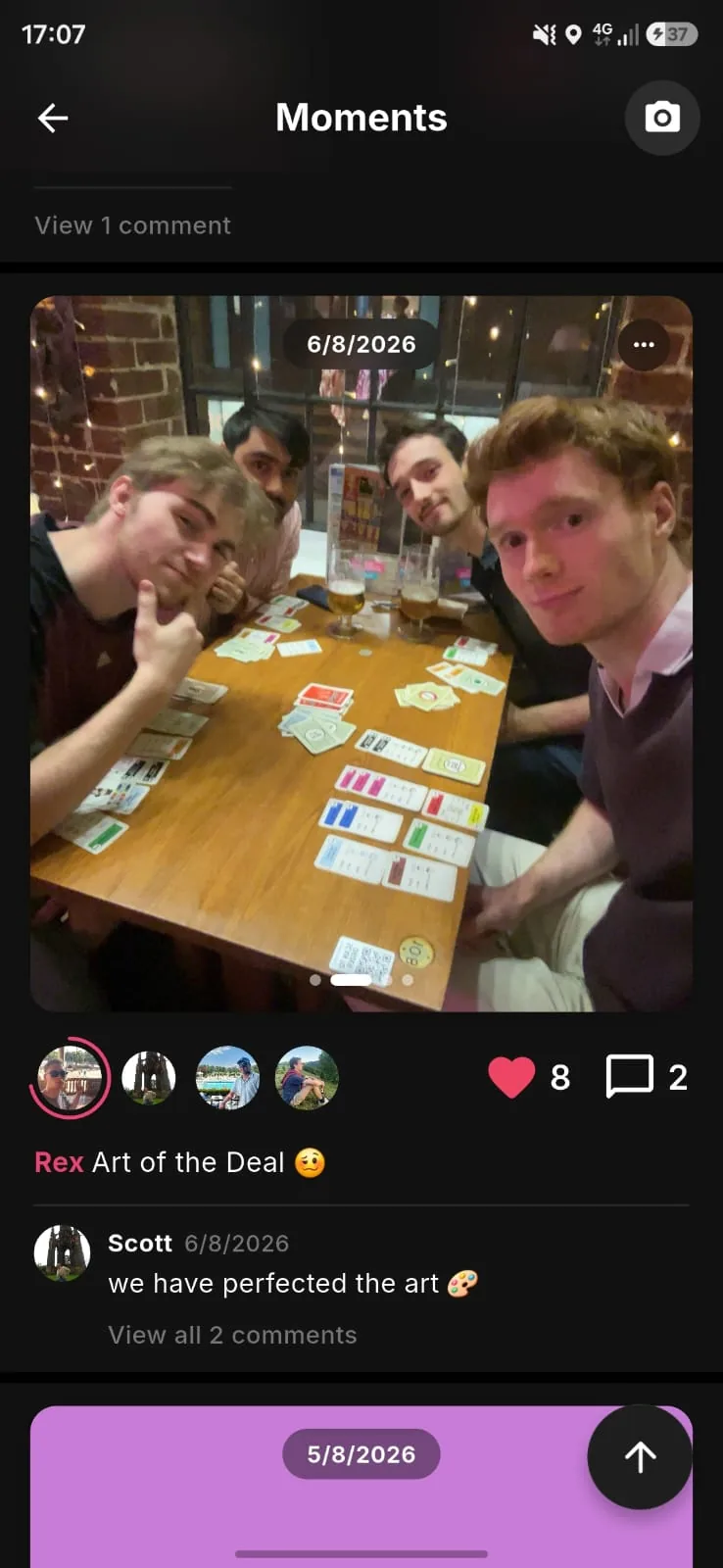
A moment is a photo posted by two or more people together. You can't post one on your own - that is the whole idea. Video belongs in chats.
How It Works
- You post a moment with a friend. It appears on both of your accounts, showing both your names and the date it was posted.
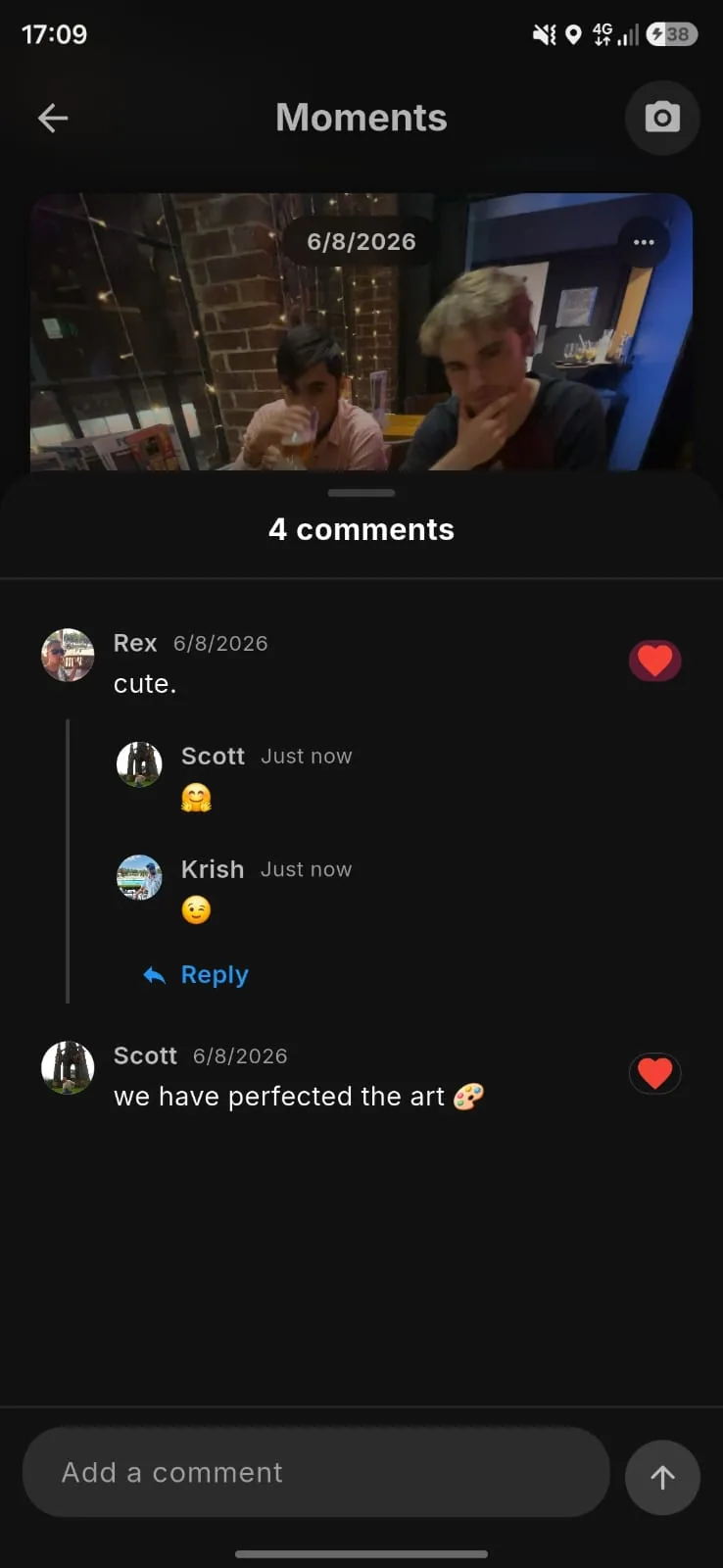
- Everyone on a moment writes their own take on it, shown in turn as equal voices. Writing one is optional.
- You can only post with friends, never with strangers.
- Nothing older than seven days can be posted - the photo picker doesn't offer older files, so use the in-app camera instead.
Who Can See It
Anyone on Relay can. Posts aren't limited to your friends or theirs - the app is arranged around your friends, so that's what you'll see day to day, but a moment can be opened and commented on by any Relay account. Worth knowing before you post. Your location, events and chats are not like this; those stay between friends.
Likes and Comments
Moments and Thoughts can be liked and commented on, including by people you don't know. You can delete your own comments. Nobody else can - not even on your own post - so block or report anything that's a problem.
Removing Yourself
If you're tagged on a moment with three or more people, you can remove yourself from it afterwards: your name and your take come off it, and the moment stays up for the others. On a two-person moment there's no removing yourself - a moment can't exist with one person on it - so the way out is to delete it, which either of you can do. The person who created a moment can't leave it, only delete it. If it's only the words you want gone, clear your take instead and stay on the moment.
Deleting a Moment
Who can take a whole moment down depends on how many people are on it.
- Two people - either of you can delete it, and it comes down for both. You don't need the other to agree, and you don't have to be the person who uploaded it.
- Three or more - the person who created the moment can delete it for everyone. Everyone else can remove themselves, but can't take it down for the group.
If you want a moment gone entirely and you're not the one who can do that, remove yourself (where there are three or more of you) and ask the creator to delete it - or contact us and we'll deal with it.
Editing
The photo can't be changed once posted. Your own take can - add one later, rewrite it, or clear it entirely, at any time.
What you can't change is someone else's take, including one that's about you. If someone's written something wrong about you, ask them to change it, remove yourself from the moment, or report it.
Why Post Together?
Traditional social media is built around broadcasting to an audience. On Relay the unit isn't the post, it's the connection - a moment is something you make with someone, not at them.
For the full detail on joint content and your rights over it, see our Terms and Conditions.
Messaging
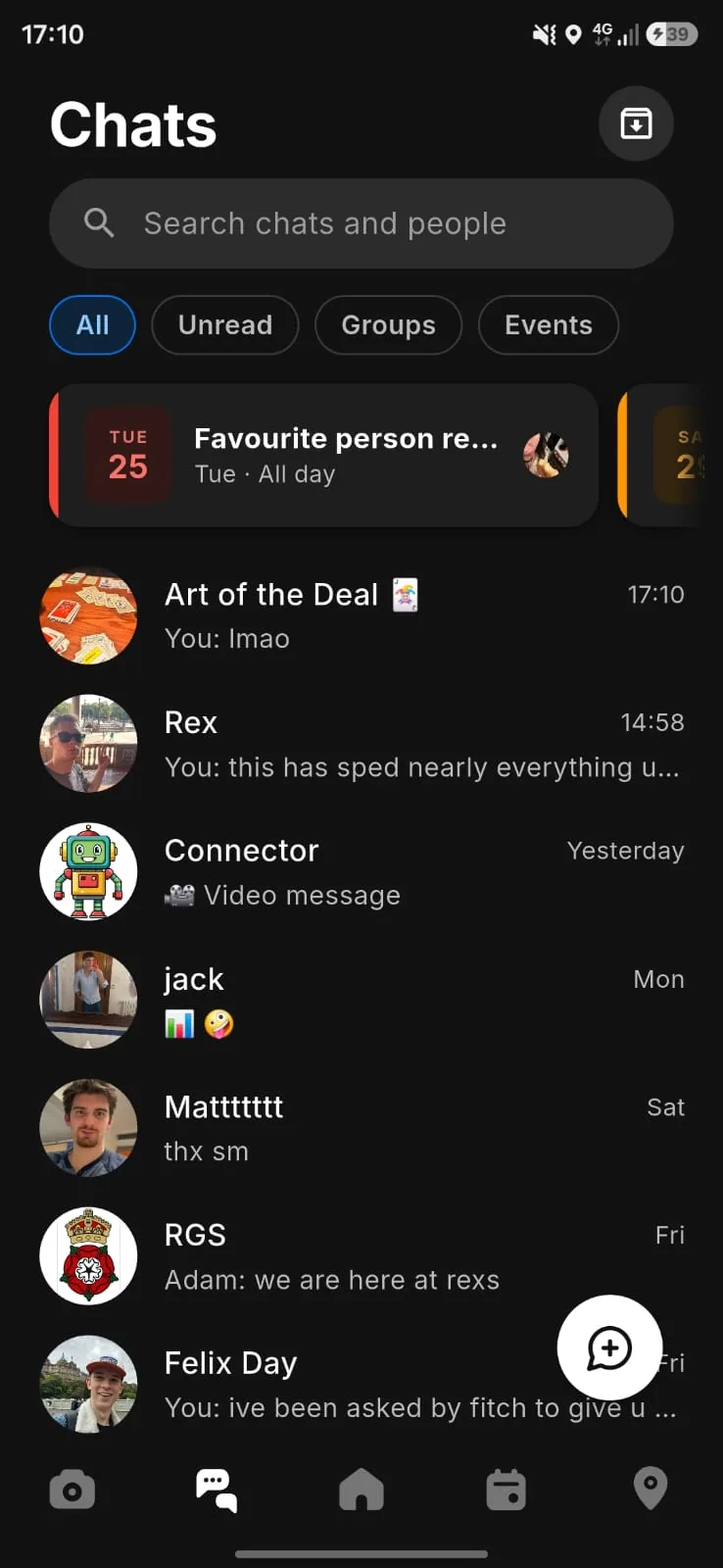
Stay connected with your friends through direct messages and group chats.
What You Can Send
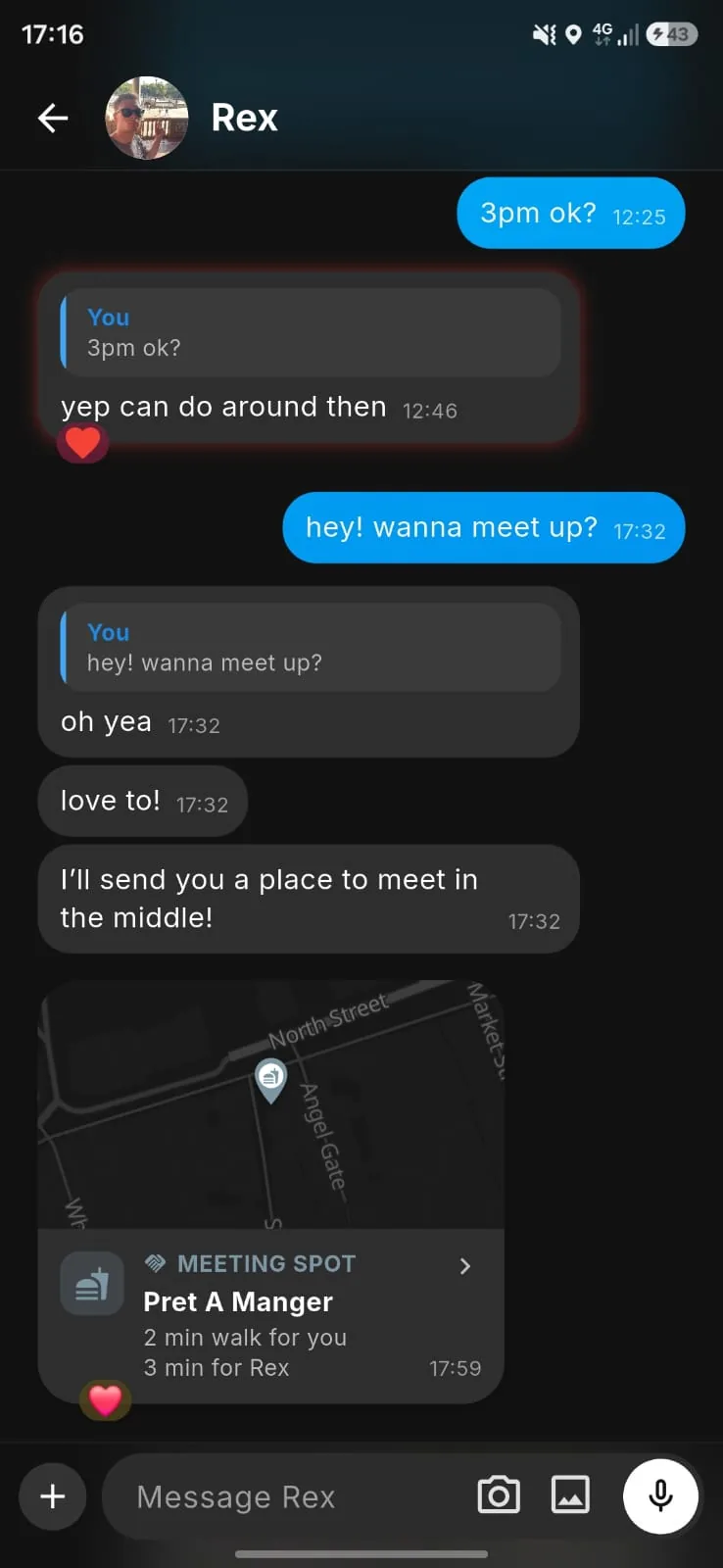
Text, photos, video, voice messages, GIFs and your location. React to any message, reply to it, edit it or delete it - editing replaces the message, so the earlier wording isn't kept and there's no "edited" mark. You'll see when someone is typing.
Group Chats
Create group conversations with multiple friends, give the group a name, image and description, mute it, and browse everything that's been shared in it.
Polls and Event Polls
Drop a poll into any chat. An event poll goes further: put up days, times and places, everyone votes, and whoever posted the poll gets a Draft event button that opens the event form with the winning options filled in - one tap to check and create.
Event Chats
Every event gets its own chat - opened the first time someone messages in it, with everyone invited who hasn't said no - and it archives once the event has passed. The person who created the event can turn it into an ordinary group chat, which keeps it out of the archive for good and lists the event under that group. Nobody else in the chat can do that.
Archived Chats
Access your archived chats by tapping the archive button.
Events & Calendar
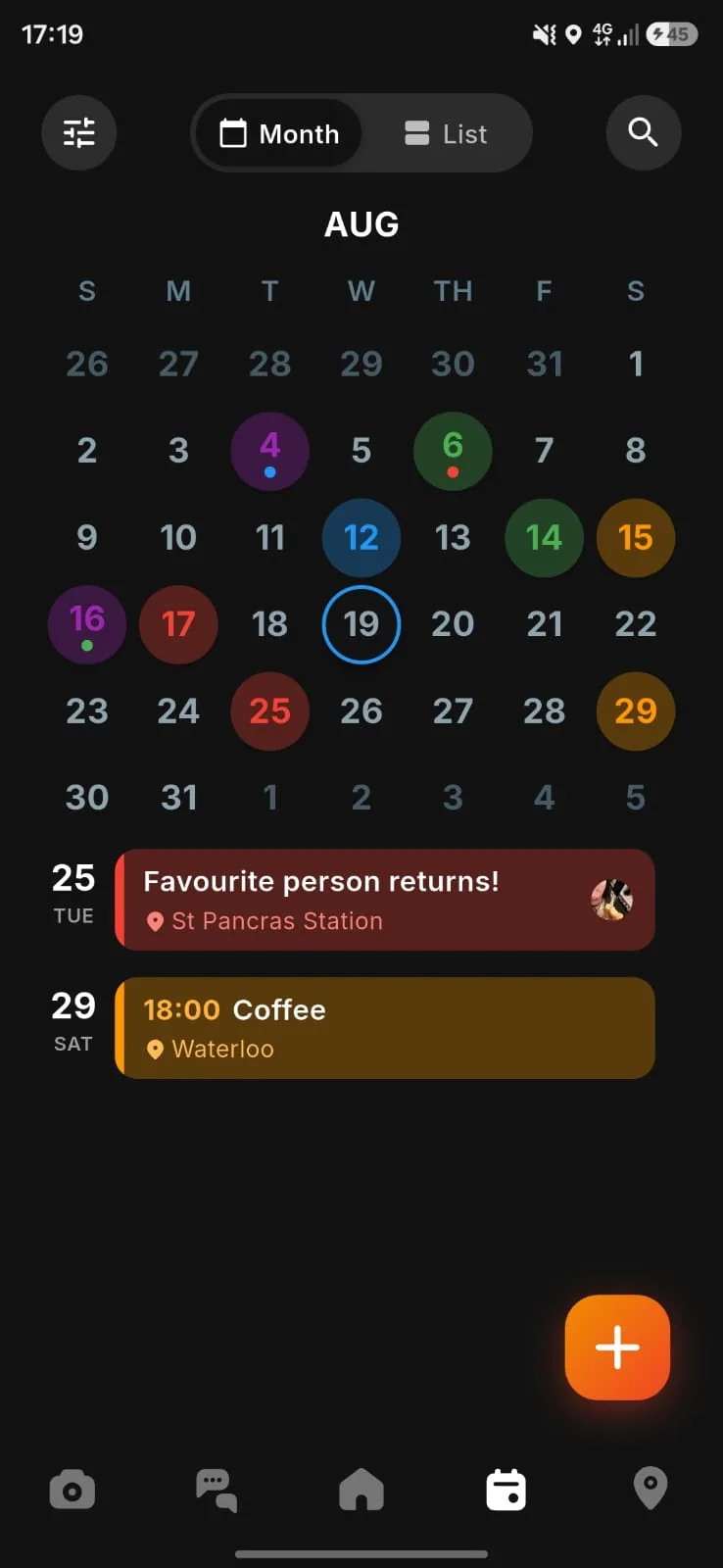
Plan meetups and keep track of what's happening with your friends.
Creating Events
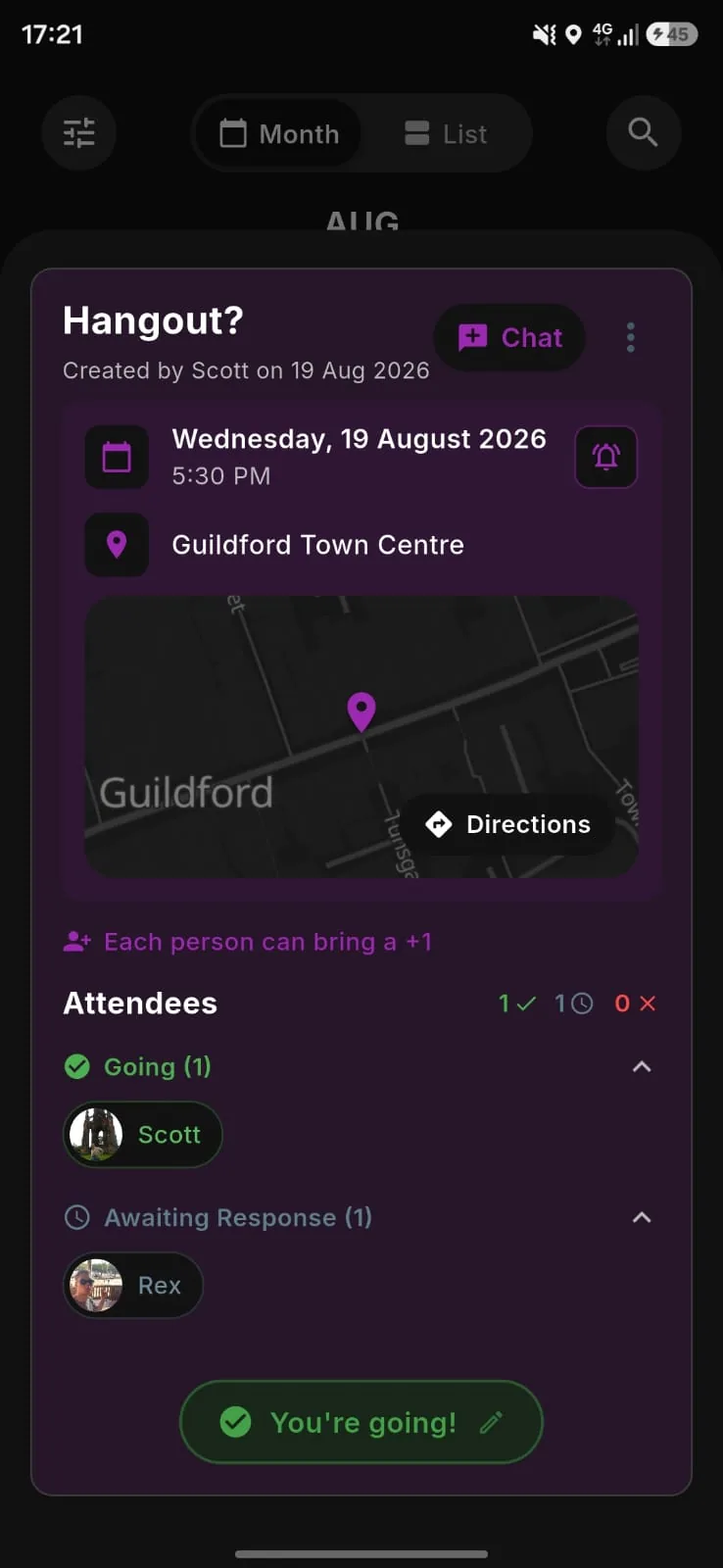
- Set the name, date, time and location - pick the place on the map or just write where
- Pick a colour, invite your Relays, and allow plus-ones if you want to
- Set your own reminder. Reminders are per person, so yours is yours
A plus-one has to be someone the person bringing them is already friends with on Relay, and they can't bring a plus-one of their own.
RSVPs
Going, undecided, or not going. Undecided is a real answer - fourteen maybes you can plan around, silence you can't. Filter by who's answered what.
Calendar View
Month grid or list, whichever you prefer, and a search if you're looking for something specific. Press the envelope button to see all events you've been invited to.
Daily Poll
A simple way to spark conversations and learn more about your friends.
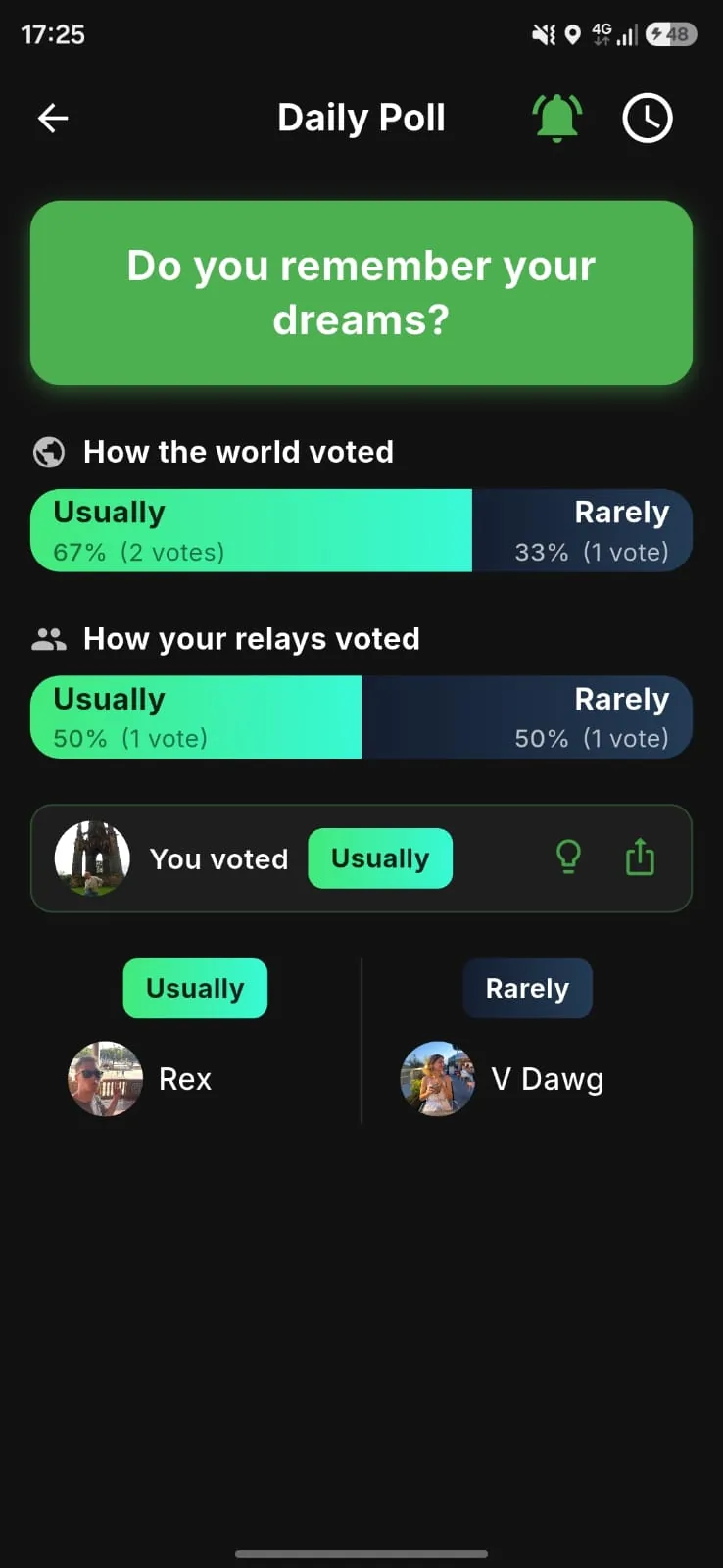
How It Works
- A new question is posted every day for everyone on Relay
- Cast your vote first - you can't see results until you've answered
- After voting, see how your friends responded
- Tap the clock icon in the top right corner to browse poll history and see past questions and answers
Privacy
Your individual responses are only visible to friends who have also participated in the poll. Aggregated percentages are shown to give a sense of overall trends.
Personality Test
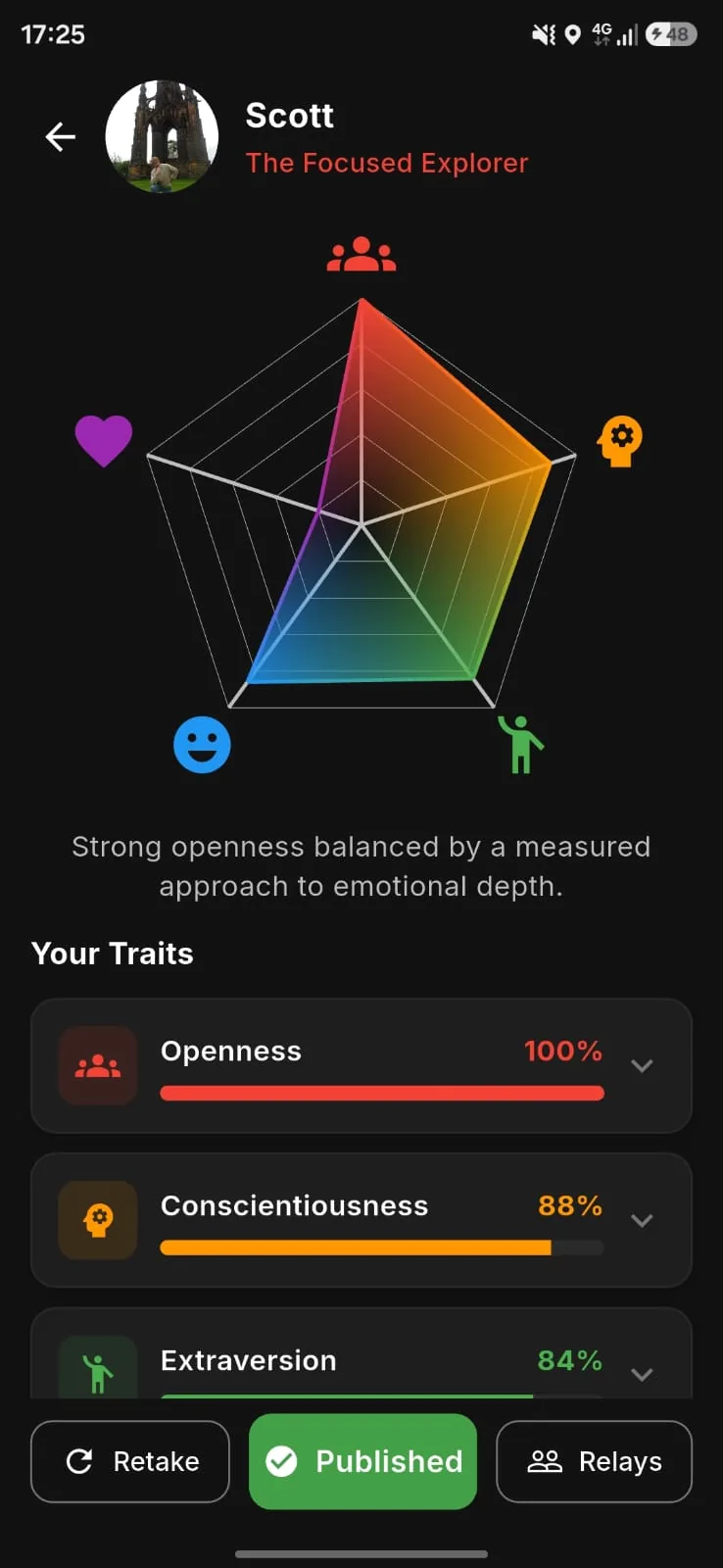
Take the OCEAN (Big Five) personality test and discover more about yourself and your friends.
What is OCEAN?
The OCEAN model measures five key personality traits:
- Openness - Creativity and willingness to try new things
- Conscientiousness - Organisation and dependability
- Extraversion - Sociability and energy from others
- Agreeableness - Cooperation and trust
- Neuroticism - Emotional sensitivity and stress response
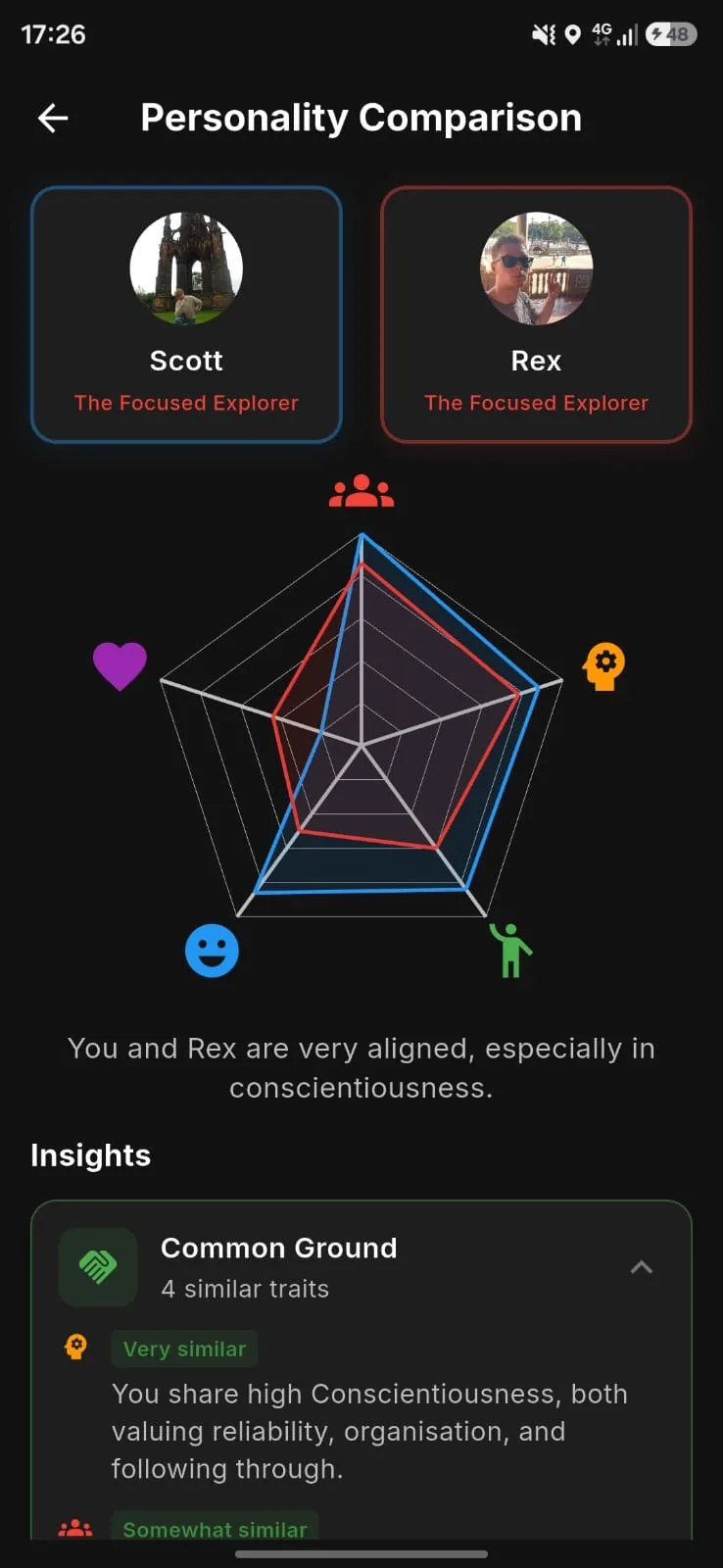
Compare with Friends
Once you've completed the test, compare your results with friends to see what you have in common and where you differ.
Location
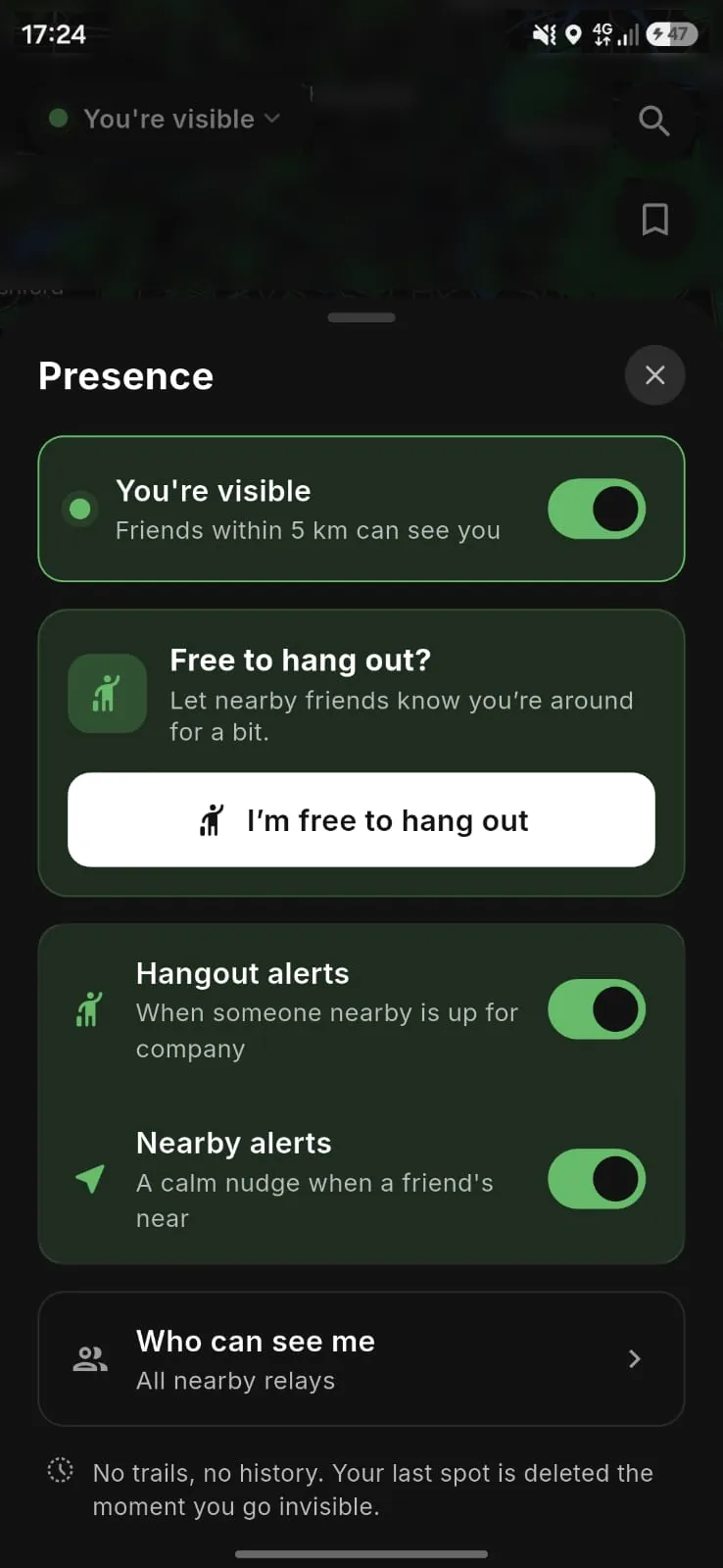
Relay's map shows you which friends are nearby, so "we should meet up sometime" can turn into meeting up today. It is off until you switch it on.
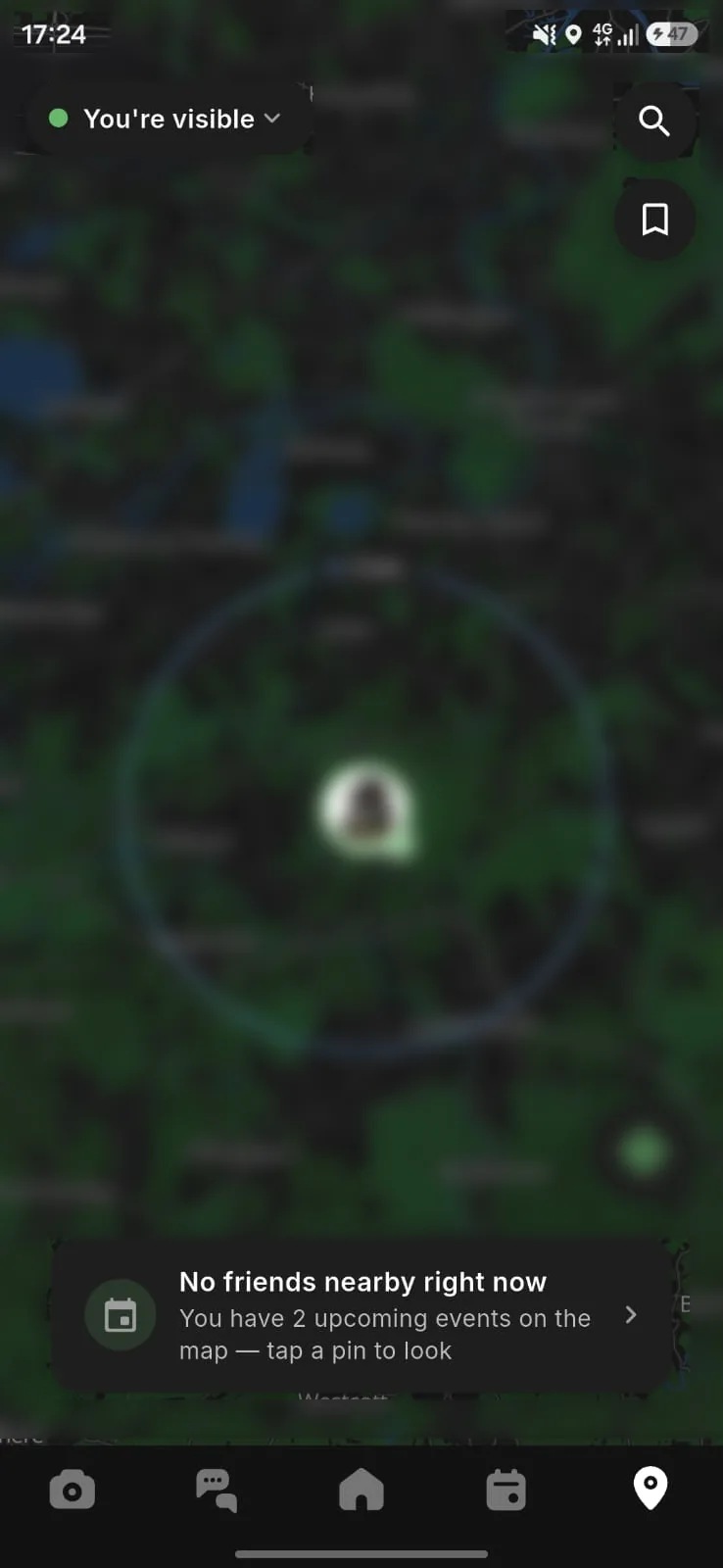
The Map Is Off by Default
Relay stores no position for you until you turn the map on yourself. There is no setting that switches you on automatically, and there is no public map - your location is never visible to anyone who is not your friend. (While the Map tab is open your phone does send your position to our servers to work out who's nearby, even if you're not visible - it's used for the answer and discarded.)
Once it's on, it stays on until you turn it off. Closing the app doesn't switch you off; what changes is how often your position updates. With background location permission it keeps updating; without it, updates stop when you leave the app and the last position we had stays visible to friends for up to 24 hours.
Looking doesn't put you on the map. You can see which friends are nearby while being visible to nobody. Turning yourself off doesn't take the map away from you.
Choosing Who Can See You
Two controls work together:
- Scope - decide whether the map applies to all of your friends, or only to friends in one tier, such as super friends only.
- Hiding - separately, hide your location from named individuals. Hiding always wins: if someone falls inside your scope but you have hidden from them, they cannot see you.
Friends can only see you when you are within 5km of them, so proximity gates visibility as well as permission.
If you switch tiering off, tier-based scope is no longer available and the map falls back to all of your friends, minus anyone you have hidden from. That can widen who sees you, so check your settings if you turn tiering off.
Hiding vs Blocking
These do different jobs. Hide someone if you only want to stop them seeing where you are. Block them if you want them out of your experience entirely.
| Hiding | Blocking | |
|---|---|---|
| What it affects | Your location only | Location, waves, chats, event invitations and co-posting |
| Who it applies to | One named person | One person, in both directions |
| Are they told? | No | No, but they lose access to you |
| Rest of the friendship | Untouched | Ends |
What Each Location Feature Shares
| Feature | What it shares | Who sees it | How to stop it |
|---|---|---|---|
| Map visibility | Your live or last-known position, to friends within 5km | Friends inside the scope you chose, minus anyone you have hidden from | Change the scope, hide from individuals, or turn the map off in Settings |
| Live location (in chat) | Your position, updating continuously | Only the chat you sent it to | Stop it at any time; otherwise it ends when the duration you chose (15 minutes, 1 hour or 8 hours) runs out |
| Current location (in chat) | A single static pin of where you were when you sent it | Only the chat you sent it to | Cannot be recalled once sent, but you can delete the message |
| Waving | That you are nearby, via push notification | The friend you wave at | Turn off map visibility, or block |
| Proximity alerts | Nothing of yours - you're told a friend is nearby, and roughly how far | You only | Turn them off; they're off until you turn them on |
| Free to hang out | That you're free. Needs your map visibility on | Nearby friends inside your scope | Turn map visibility off |
| A place you pick | The coordinates of that place, not where you are | The chat you sent it to | Delete the message |
| Saved places | Nothing until you send one | You only | Delete the saved place |
| Event locations | The location attached to an event | People invited to that event | Remove or change the location on the event |
Live Location Runs for a Set Time
When you share live location in a chat, you choose how long it lasts - 15 minutes, 1 hour or 8 hours - and you can stop it at any moment before then. It keeps updating in the background without any extra permission, and your phone shows its own live-location indicator while it runs. It ends when the time runs out, when you stop it, or if the app is closed completely.
Waving and Hang-Outs
If a friend is nearby, tap to wave at them and they get a push notification telling them you are close. You can also open a window saying you're free to hang out, which pings nearby friends - it is there for the moments when nobody wants to be the one to ask. That one needs your map visibility on, since it works off the same presence.
Proximity alerts are the quiet version: turn them on and you're told when a friend who's already visible to you is nearby. You're told roughly how far away they are, and a tap opens the map on their pin; they aren't told you were alerted. They're off until you turn them on.
Saved Places
Pin the places you use, with an emoji and a name. They follow you between devices and nobody else can see them - not your friends, not us in the app. Pinning a place doesn't make you visible. They only reach anyone if you send one into a chat as a meeting spot.
Mid-Point Meet-Ups
Set a mid-point between you and a friend and Relay suggests a real venue there, not just a coordinate. Venue suggestions come from open mapping data (OpenStreetMap), so check opening hours before you travel.
Worth knowing how this works underneath: the mid-point is calculated inside our own function, which sees both positions but returns only the mid-point and the venues near it. Your friend's actual coordinates never reach your device, and never reach anyone else. Our servers don't send your position to Google, Apple or any other mapping company - the map tiles come from our own infrastructure. The exception is your phone's own built-in geocoder - Apple's on iOS, Google's on Android - which turns a position into a street name and handles the text you type into map or place search. That happens on your device rather than through us, but it does mean a coordinate, or your search text, reaches them.
How You Can Tell You're Visible
The Map tab carries a pill that always states your status - "You're visible", "Visible while open", "You're hidden", or why you're not being shown. It's on the Map tab, not on every screen, so that's the tab to open when you want to check.
Your phone signals it too. Sharing live location in a chat raises the obvious one - the blue pill on iOS, the location icon on Android. Background map visibility is quieter, because it runs on low-power location updates rather than continuous GPS: easier on your battery, and it collects less about your movements. iOS marks that with a subtler status bar indicator, and both iOS and Android let you review which apps have used your location recently in your device privacy settings.
What none of those tell you is who can see you. the Map's visibility settings do - they show exactly who can see you right now, and that's the reliable place to check.
Turning It Off
You can narrow the scope, hide from specific people, or turn the map off entirely in Settings at any time. You can also revoke Relay's location permission at device level, which stops every location feature at once. Nobody is entitled to know where you are, and you never have to explain turning it off.
If someone is pressuring you to share your location, that is harassment under our Community Guidelines. You can hide from them without them knowing, and you can block or report them.
Accuracy
Location in Relay is approximate and can be delayed or unavailable. A friend shown as nearby may not be nearby. Do not rely on it for anything safety-critical or time-critical.
For the full detail on how location data is collected, shared and retained, see our Privacy Policy.
Still Need Help?
If you can't find what you're looking for, please contact us and we'll be happy to help.
Email: team@relay-social.com